 Oculesix
Speak with your eyes
Oculesix helps people who can't speak or use their hands to communicate using only their eyes, or small movements of the head. Look past the left or right edge of the screen, or tilt your head, and the app speaks for you.
How it works
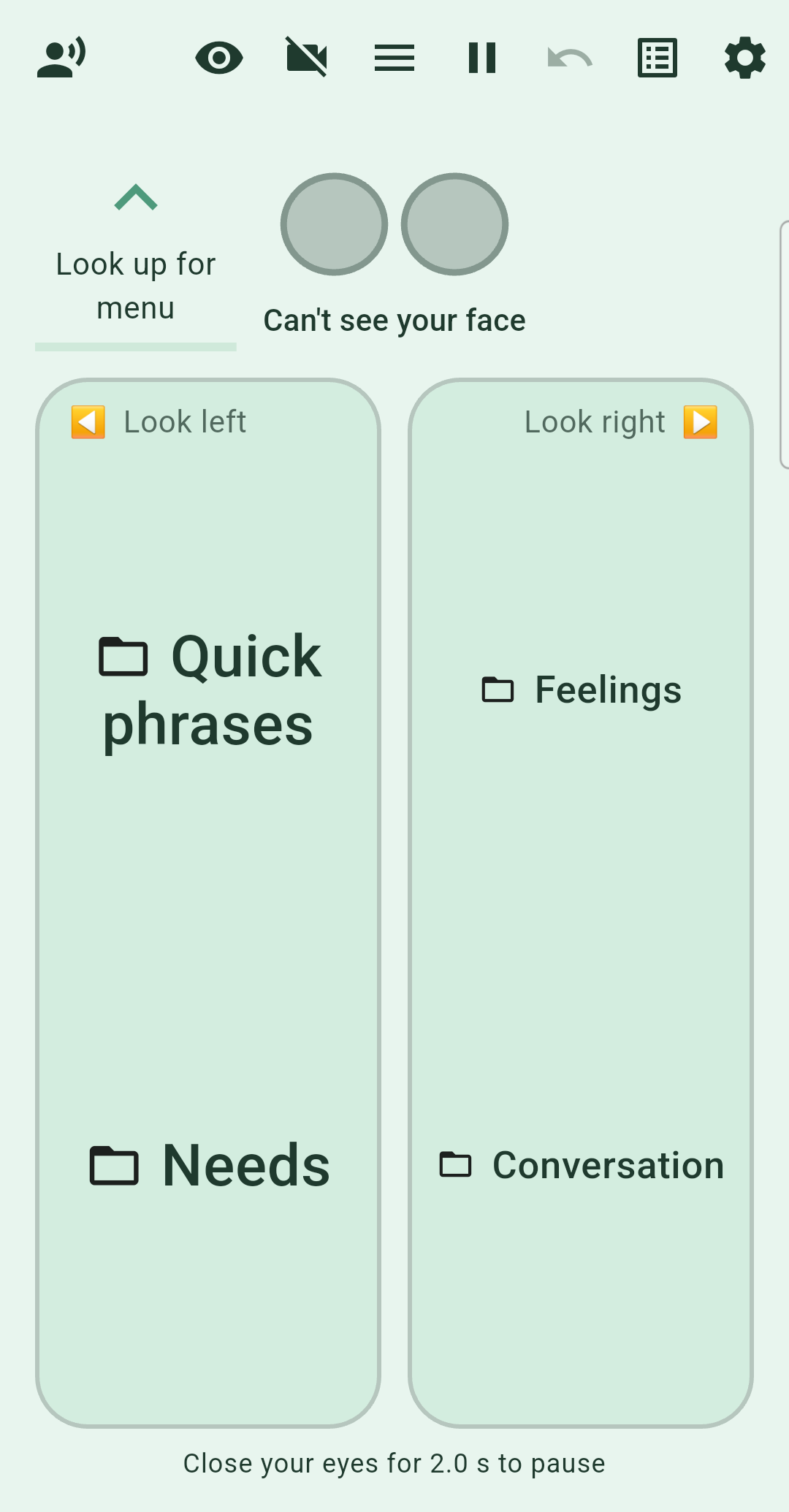
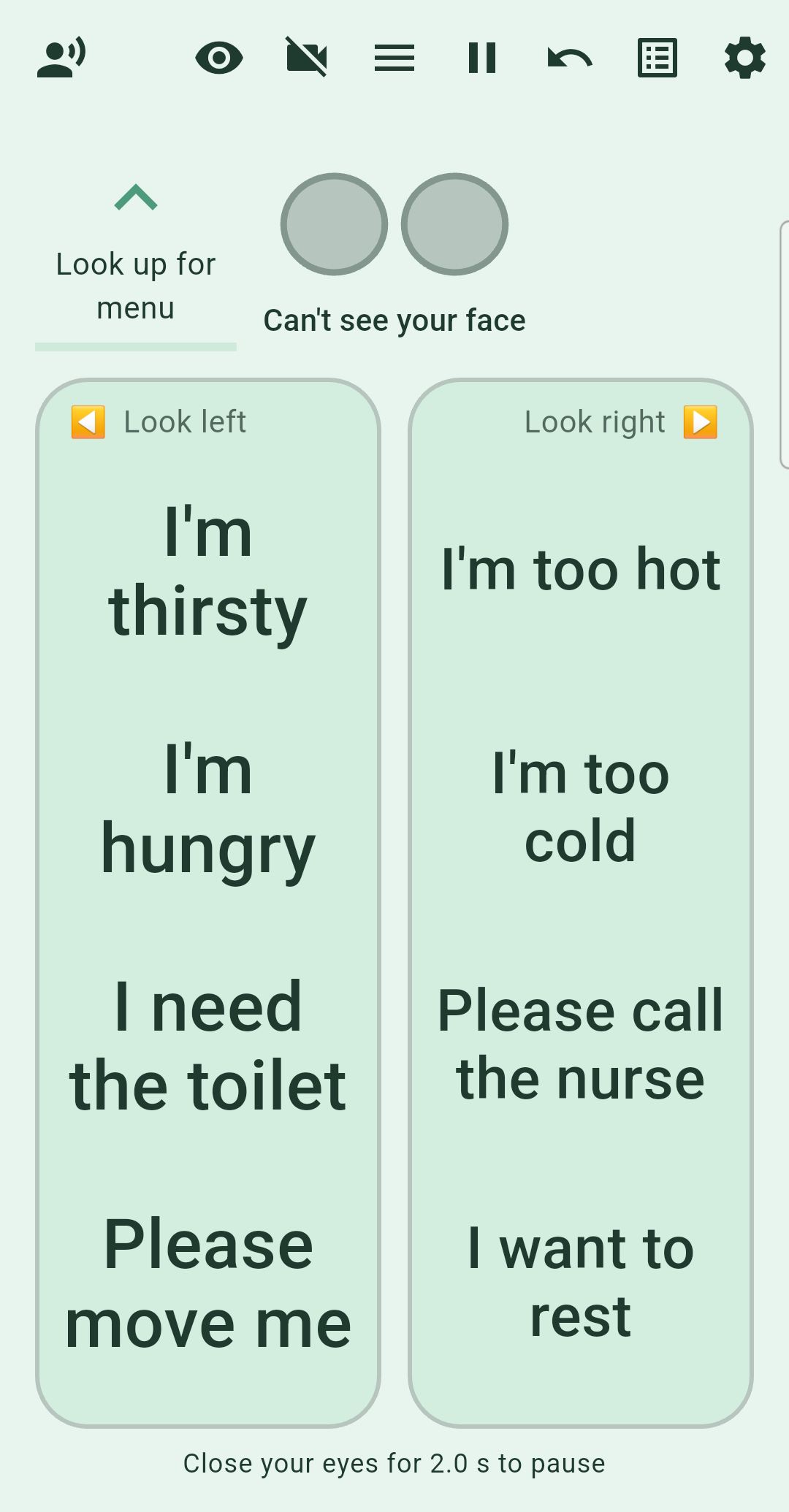
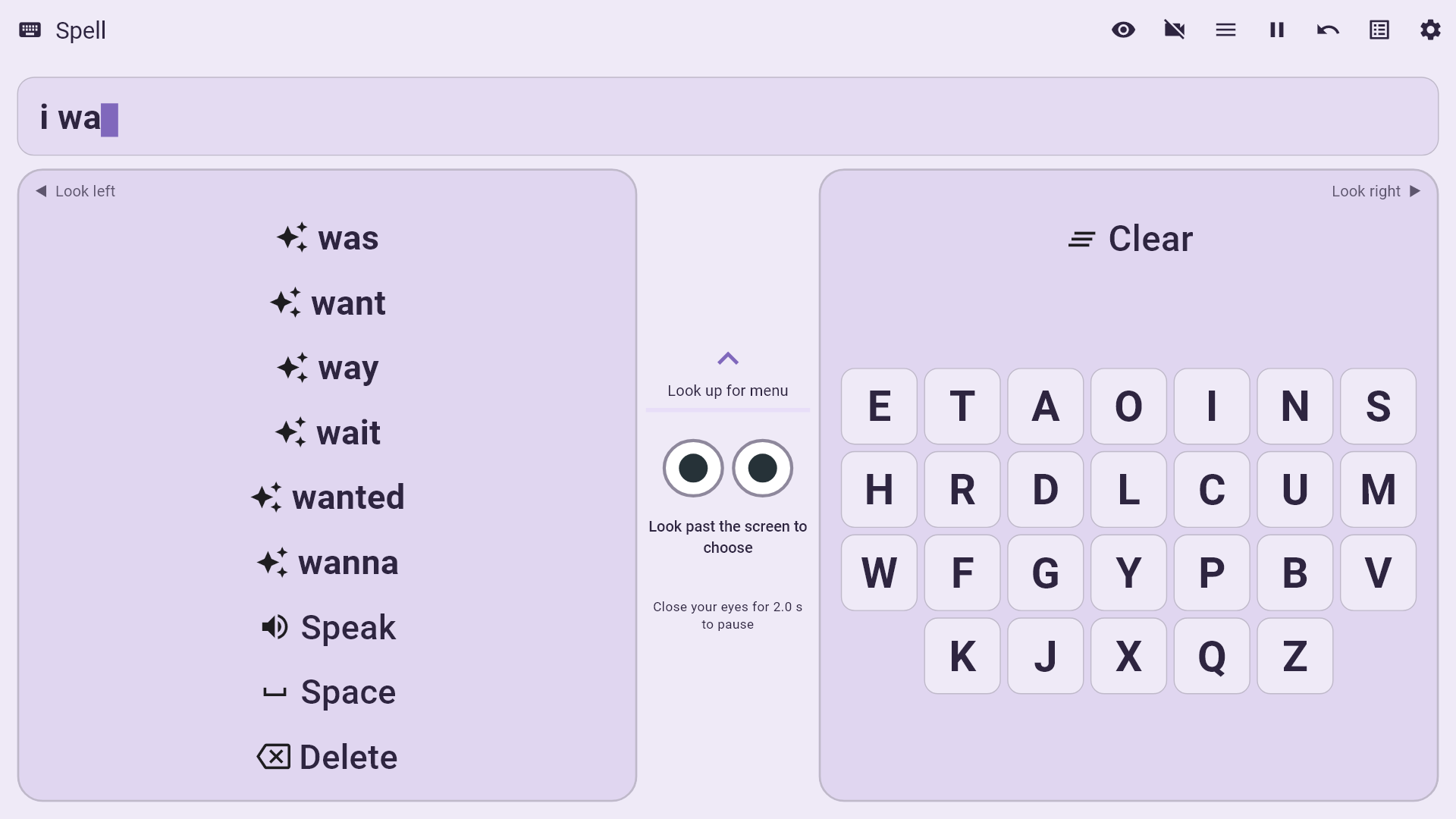
Choices are always split into a left half and a right half. Keep narrowing them down until one is left. All you need is a phone, tablet or computer with a front camera.
- Look left or rightLook past an edge of the screen and hold to keep that half. The panel fills while you hold.
- RepeatBring your eyes back to the screen, then choose again until one phrase is left.
- It's spoken aloudThe phrase is spoken with your device's voice, and saved in History to say again.
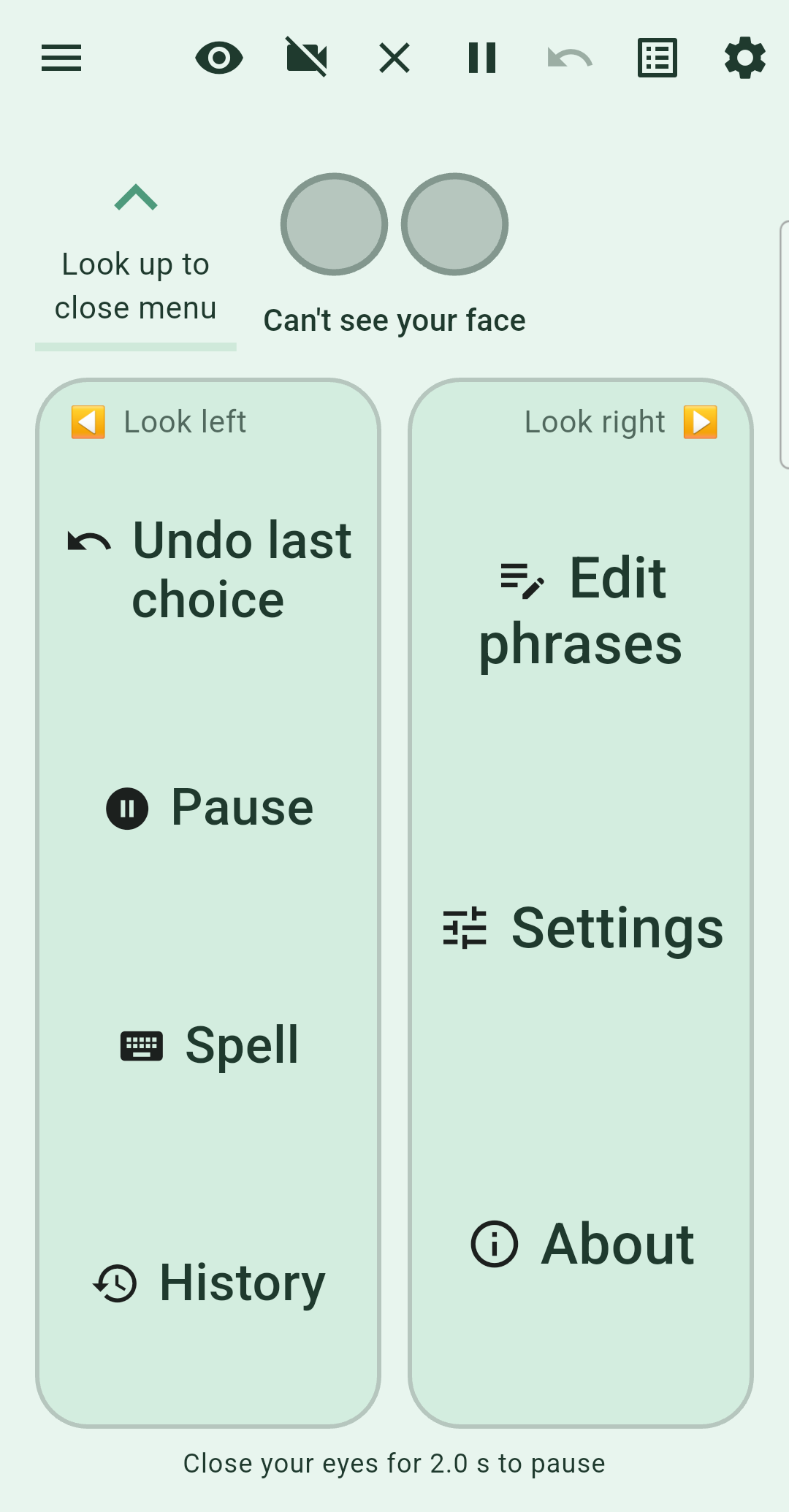
- Look up or close your eyesLook up for the menu. Close your eyes to pause; look left, then right, to carry on.
Choose with your eyes or your head
If eye movements are hard to read, or tiring, the same choices can be made by tilting the head instead. Each person picks the way that suits them in Settings.
Eye gaze
Look past the left or right edge of the screen, or above it for the menu. Works with one eye, or eyes that don't line up.
Head tilt
Turn or tilt the head to the left or right to choose that side, or tilt it back for the menu. Hold the tilt to choose, then bring the head back to straight.
Sitting up or lying down
Set up head tilt for each position the person may be in, such as sitting up or lying on one side. The app switches to the setup that fits.
Pause either way
Closing the eyes pauses, with either kind of control. With head tilt, a head held to the side for 15 seconds pauses too.
Ways to communicate
Normal blinks are ignored, and every selection plays a gentle click.
Speak
Ready-made phrase lists, such as "I'm thirsty" or "Please call the nurse". Add your own lists and phrases.
Spell
Build any message letter by letter, with word suggestions from a 20,000-word dictionary and your own words.
Notepad
Write longer text, such as letters or a diary, and save and open files, all by eye.
History
Everything you've said, newest first, ready to say again.
Made for real use
Oculesix was designed with the people who use it every day, and the people who care for them.
No hands needed
Edit phrases, create lists and change settings using only the eyes or head. Changes to how the eyes are read must be confirmed, so the app can't be made unusable by accident.
One eye is enough
Works with one eye, or with eyes that don't line up. Calibration learns how much to trust each eye, with glasses on and off.
Easy to see
Easy-to-read fonts, large text, and soft pastel, dark or high-contrast colours.
More than one patient
On a shared device, such as in a care home or hospital, each patient has their own settings and calibrations. The app can recognise who is in front of the camera and switch to them.
For carers
The screen never sleeps or locks. Pausing is silent, so a resting user isn't woken. Child mode hides vulgar word suggestions.
See it in action
Private by design
The camera picture never leaves your device, and the app doesn't use the internet. No accounts, no ads, no tracking. Read the privacy policy.
Get the app
Oculesix is coming soon to Google Play, the App Store and the Microsoft Store.
- Android
- iPhone and iPad
- Windows
- Mac
Want to try it early, or have a question? Email warniaha@yahoo.com.